Make Your Blog Posts More Shareable with Social Media
I sometimes use affiliate links in content. This doesn’t cost you anything but I may make a commission payment from anything you buy through these links. As an Amazon Associate I earn from qualifying purchases. All opinions remain my own.
Blogging is a fantastic way to share your thoughts and expertise with the world. However, simply creating great content isn’t enough – you need to make it shareable on social media platforms to maximize its reach. By optimizing your blog posts for sharing, you can attract a wider audience , drive more traffic to your website, and achieve your business goals. In this post, we’ll explore practical strategies to make your blog posts irresistibly shareable, from crafting attention-grabbing headlines to leveraging visuals and engaging with your readers.
Table of Contents
Craft Attention-Grabbing Headlines

Headlines are the first thing that catches a reader’s eye, and they play a crucial role in determining whether someone will click on your blog post or keep scrolling. Crafting attention-grabbing headlines is essential for making your blog posts shareable on social media . Use strong, compelling language that piques curiosity and entices readers to click.
Use Power Words and Numbers
You walk into the classroom and see posters on the wall with different headlines. Some use big words you don’t know, while others use short simple words. The ones with numbers, describing words, and important words catch your eye the most. They make you want to learn more. For example, one poster says “5 Evergreen Topics to Bring More People to Your Blog.” Another one says “Everything You Need to Know About Using Social Media for Your Blog.” These headlines quickly get your attention and make you curious. They make you want to find out what they are talking about.
Keep it Concise and Focused
You want your titles to be short and to the point, since long or unclear ones may stop readers from clicking. Aim for titles around fifty letters or less that properly show what your story is about. A headline that is clear and brief sets the right idea and makes it more likely for your post to be shared on websites. Some titles work better than others at grabbing attention, so test a few options to see which one draws people in. The title is the first thing people notice, so make it inviting enough that they want to learn more about what’s inside.
You write blog posts to share ideas. When people read your headlines, they want to learn more. Using words that catch attention helps more readers click and see what you wrote. It also makes them more likely to share your stories with friends online. When others spread your headlines around social media sites, extra people find your blog. This brings more visitors to your page. They comment and interact with what you say. More traffic and engagement leads to more success for your blog over time.
Optimize for Mobile
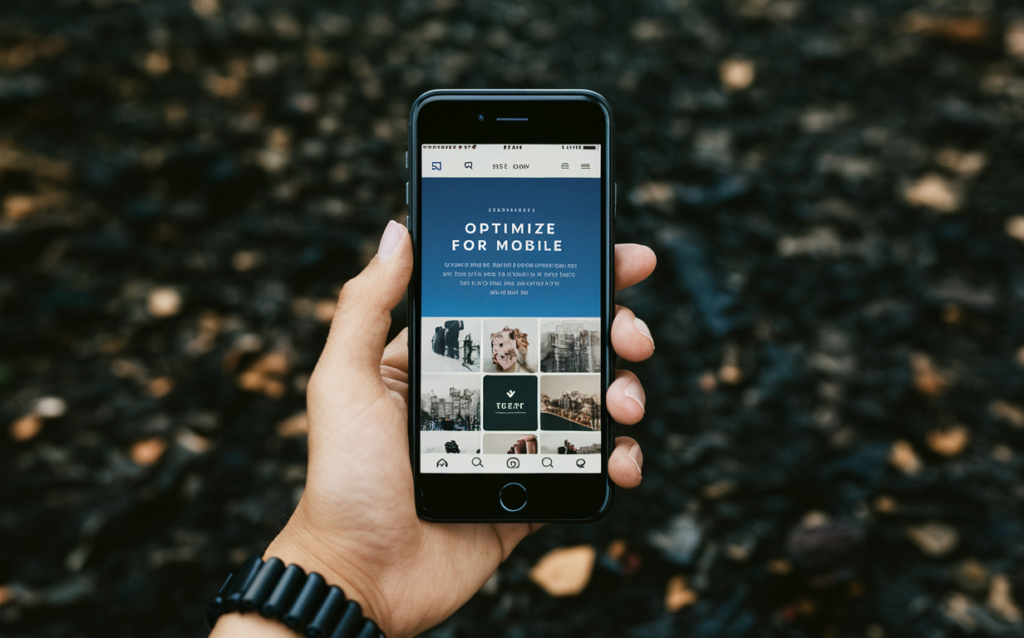
You need to make sure your blog posts look good on phones and tablets. Most people use phones or tablets to look at things online. Your blog needs to work well on smaller screens so more people will want to share it with friends. Long pages that are hard to read on a small screen will not be very popular. Keep the words simple and break things into shorter sections. Pictures should fit without having to scroll sideways. Test how it looks on a phone before publishing. If it’s easy to read on different devices, more people will see what you wrote.
Responsive Design: The Key to Mobile Optimization
You want your website to look good on any device. The pictures, text, and layout should change size nicely as the screen changes. Make everything flexible so it fits together well no matter if someone uses a phone, tablet, or computer. Things will look their best and be simple to read or watch no matter what someone uses to visit your site. Set it up so everything adjusts by itself to the person’s phone or tablet without them having to zoom or scroll a lot. That way no one has a hard time seeing what you share just because of the device they picked to use. Make it easy for all to enjoy!
Enhance Readability for Mobile Users
You see many people using their phones outside. The screen can be hard to read in the sun. Make your words and pictures easy to understand. Use big letters that are simple. Format it so it is neat and clear. This helps people read it better on their small screen. It also makes your site more fun to use when you are busy.
Loading pictures slowly is annoying. It makes people leave your site fast if it is too slow. Pictures that load quick help people share it with their friends more. They will tell others about it on apps like Snapchat and Instagram if it works well on their phone. Make sure to pick photos that the phone can see fast so more people can enjoy what you made.
By focusing on mobile optimization first, you’ll help more people access your blog easily and share it more too. When your blog looks good on phones, more visitors can read it wherever they are. They can tell friends about your posts on Facebook and Twitter too. Now most people use phones more than computers. So your blog needs to work well on phones. If it’s hard to see on phones, less people will read it. You want lots of readers to learn about your blog, right? Making it mobile friendly is important to help more people find and share your blog posts.
Leverage Visuals
In today’s digital age, where attention spans are shorter than ever, visuals are a powerful tool for capturing and retaining your audience’s interest. By incorporating images, charts, videos, and other visual things into your blog posts, you can make your writing more interesting, easy to share, and something people remember.
You write online to share ideas. Pictures and videos help people understand better. They make reading more fun too. When something is fun, we want to tell our friends about it. Visuals break up long words. They rest our eyes for a bit. Blog posts with visuals are more likely to be shared with others. People remember stories with pictures better than just words. Using visuals will help more people learn from what you wrote. They will remember it for longer too.
Enhance Comprehension and Engagement
Visuals have the ability to break up text and convey complex ideas more effectively than words alone. For example, an infographic can simplify a complicated process or data set, making it easier for your readers to understand and retain the information. Similarly, a well-crafted video can bring your content to life, allowing you to share your message in a more dynamic and engaging way.
Boost Social Media Shareability
Social media platforms are highly visual, and posts with visuals tend to perform better in terms of engagement and shares . By incorporating visuals into your blog posts , you increase the likelihood of your content being shared and reaching a wider audience. This can lead to increased traffic, brand awareness, and potential business opportunities.
You need to pick visuals that fit with what you’re talking about. Make sure the pictures and videos look really good. Use formats like JPG, PNG or MP4 so anything you share will show up right on phones, tablets or computers. It’s also a good idea to include visuals that stay interesting no matter when someone sees them. Things in nature like sunsets, animals or seasons usually work well because they don’t get old quickly. That way if someone finds your post months later, the pictures won’t seem dated. Keeping visuals fresh helps people want to keep watching and learning from you.
You see images everywhere online. Pictures grab people’s attention quicker than words. Using photos in your blog helps tell stories better. It makes what you write easier for all to understand. You should add visuals whenever you can. Photos will make others want to read what you share. They may even share it with friends too. So show, don’t just tell. Let images help explain what you mean. Seeing is believing, so show don’t just say. Your blog will be more fun and interesting with pictures added in. More people will read and like what you write when you add visuals too.
Encourage Social Sharing
You want folks to tell others about what you write. It helps more people find your blog. Put buttons where people can share posts with one click. Have buttons for Facebook, Twitter, LinkedIn, and Pinterest. Folks use those sites to share things. Also ask readers to share inside the post. Say share if you like what you read or learned from it. That helps spread your words to new people who may find it useful too. Make sharing easy so folks want to pass your blog along to friends and connections online.
Leverage the Power of Social Sharing Buttons
Social sharing buttons can help more people see your blog posts. When these buttons are big on your page, it is really easy for readers to share what you wrote on their social media. This small thing can greatly spread how far people can see your blog and show it to new groups of people. Pick sharing buttons for the websites your readers like best, maybe places like Facebook, Twitter, or LinkedIn. Those are good options to get your posts in front of people you want to reach.
Craft Compelling Calls-to-Action
The paragraph talks about putting prompts in blog posts to get readers to share. It says putting reminders about how useful the post is can help get people to share it with others. Calls-to-action work well for this. They don’t need to be long or complicated. Short ones like “Did you find this post helpful? Share it with friends and coworkers!” are good. Or you could say “Share this with people on your social media so they can learn too.” Keeping the reminders friendly and simple works best to get readers sharing what they read.
You can help readers share your blog posts. Encourage them to spread your content on social platforms. When people share what you write, it helps more folks find your blog. This can bring extra visitors to your site. It lets your words reach new eyes and ears. Over time, more traffic may help your online space succeed and expand.
Utilize Relevant Hashtags

Social media lets you find new people. Hashtags help more folks see your blog posts. By adding hashtags about what you wrote about, more people can discover it. Popular hashtags right now also help. When you share on Facebook or Twitter, hashtags help others share it too. Then your ideas can reach a bigger group. Using hashtags makes it more likely that others will spread your content to their friends.
Research Popular Hashtags
The first step is researching popular hashtags. Look at ones used by others about your topic. You can see which hashtags many people in your area use. Tools can help find good hashtags for what you share.
Use Hashtags Strategically
Once you’ve found the best hashtags, add them carefully in your posts. Be careful though, too many hashtags can look like spam and take away from your pictures or videos. It’s best to use only five or six hashtags that match what you shared. Your friends want to see what you’re up to, so keep the hashtags short and related to your post. That way they know it’s really you and what you meant to show. Focus on your message first before thinking about hashtags. As long as a few fit what you shared, that should be enough to help new people find your account too.
You wrote an interesting blog post about using hashtags to reach more people on social media. Adding related tags allows others to easily find your content when searching topics. This can introduce new readers to what you write about.
Your article talked about how hashtags help more individuals discover and engage with posts. When posts are shared or shared again, it helps the author’s blog get noticed by additional people. The goal is to attract more visitors to the blog. You explained that growing traffic is good for marketing the blog and achieving the goals of the writer. I liked learning how hashtags might spread blog content to a wider audience online. It seems like a clever way gain new readers.
The combination of hashtags, great content, nice pictures, and sharing help make blog posts popular. Using just hashtags alone won’t work as well. You need to include interesting things for people to read. Pictures that catch the eye help too. Telling others about the new blog post is also important. When you mix all these things together right, it can really work well to get more people to see what you wrote.
Engage with Your Audience
Your blog posts can reach more people if you make them easy to share on sites like Facebook and Twitter. When writing, think about how others might want to tell their friends about your ideas. Describe one main thought per post instead of too many things at once. Keep sentences and words simple so readers understand quick. Pictures and short quotes help break up long paragraphs too. Asking questions gets people thinking and talking. Comments from readers show them you value what they contribute. Responding to comments nicely encourages more people to join the discussion. A group feeling involved and connected online spreads your message farther than you could alone.
Respond to Comments and Ask Questions
One of the most effective ways to engage with your audience is by responding to comments on your blog posts. This shows that you value their input and are invested in creating a two-way dialogue.
You write blog posts to share your thoughts. Some people will read what you write and share their thoughts too. They leave comments under your posts. When you reply to their comments, it shows them that you see what they said. It also shows them that you want to talk about your ideas together. Not everyone will agree with everything in your posts. But when you ask questions at the end, it helps people talk about different views. This helps everyone learn. Your questions get people to share other ways of thinking about what you wrote.
Collaborate with Influencers and Industry Experts
You could team up with people who know about your topic. Bloggers and professionals who study your industry could help make your content better. Together you could write blog posts or share each other’s work. This shares your message with new readers. It also shows people that experts approve of what you say. Your information will seem smarter because experts worked on it too. More readers will trust what you publish when famous people in your field like it too. Working as a group spreads your ideas farther than doing it alone.
You can create a personal connection by engaging with your readers. Respond to their comments and ask questions to get to know them better. Work with other bloggers too by sharing ideas. This helps people feel like they are part of a group. When readers feel close to you, they will share your blog posts with friends on sites like Facebook and Twitter. Then more people can learn about your blog. Increased traffic means higher chances for new chances. People may contact you about projects when they see how popular your blog is. Connecting with an audience in this way can lead to benefits for your work.
Amplify Your Blog’s Reach with Strategic Social Sharing
You know how important it is to share your blog posts. Using the things we talked about can help more people see them. Catchy headlines and pictures grab attention. Talking to readers in the comments keeps them interested. All this unlocks your content’s full power. Don’t let all your effort go to waste – show someone your blog. Our website experts can help you make it share more and bring good customers to your business. They know how to optimize so social media shares your posts far and wide. Just schedule a meeting with them to learn more.