

How to Create an Instagram Strategy for Business
I sometimes use affiliate links in content. This doesn’t cost you anything but I may make a commission payment from anything you buy through these links. As an Amazon Associate I earn from qualifying purchases. All opinions remain my own.
I know it is strange for someone obsessed with Pinterest, but I find Instagram a bit hard work. I get it, I understand how the basics work but it always just seems awkward for me. But I’m determined not to be beaten by a mere social media site. So I wanted to learn how to create an Instagram strategy for businesses that I could apply to all of my businesses. Want to join in?
Table of Contents
Why choose Instagram?
I always start by looking at if this platform is really worth it for me. Is my audience potentially there? Can I engage with them in different ways than on other platforms? And can I make content that will work there?
There’s no doubt that my audience for all of my businesses is on there. In fact, there are a lot of people on there and the numbers are growing each year.
There are 1 billion active monthly users and 60% of adults who have online access use Instagram. There are also 25 million business profiles on Instagram and half of the users follow at least one business while 60% say they have found out about a product or service while scrolling.

So my audience is there but what can I use it for? The top of the list is to promote brand awareness. 70% of users spend time looking up a brand or company on Instagram so you can promote your company in a good, authentic, and personal way. People on Instagram are engaged too, with more than half visiting each day and 35% checking their feed multiple times a day.
Types of posts to use
If this ticks the box for you as it does for me, then next we are off to look at the building blocks of an Instagram strategy for business – types of posts.

Whereas with Pinterest, there are only limited types of posts you can create, Instagram has scope for a few more types. Not to mention you can cross-post your Instagram content to Pinterest (square is now okay remember) for added Pinterest buzz.
1. Images
Top of the list of post types are images – you can’t post to Instagram without at least an image. The key is to find images that are interesting, diverse, eye-catching, and not too promotional. Company culture (or ‘you’ culture if you are a solopreneur), lifestyle, and behind the scenes shots, are all great and the odd product shot works too.
Remember to make sure you have your images optimised into a square size for the best results. Canva has a default IG post which is 1080 x 1080 pixels and is perfect. Create a grid and pop in your photo then download it with a keyword file name and upload it to Instagram.
2. Educational posts
Educational posts can be images or videos and usually include a series of steps to follow to accomplish something – recipes are a classic example of this. Or you could do a how-to video on using a particular tool that you use in your business like Trello or ConvertKit.
3. Motivational posts
Motivational posts can include quote graphics, uplifting text, or other images that don’t look cheesy but help to inspire and motivate people.
4. Trending holidays posts
Trending holiday posts can be a way to tap into a conversation around a holiday or even those fun social media holidays like National Ice Cream Day when certain hashtags will be popular. Aim to go for ones that are relevant to your niche or that you can have a little fun with.
5. User-generated content
User-generated content or UGC is simply content made by your followers relating to your brand. You can re-gram this and tag them, reposting it to your feed and getting that credibility while also offering a new audience for your fan.
6. Influencer posts
These are posts by a celebrity, well-known person, or micro-influencer who posts about your brand. These images or videos will be shared on the influencer’s profile as well as yours to get a whole new audience.
7. Video
Video marketing has taken off on Instagram and there are now countless ways you can use it including in the feed, in Stories, and in IGTV. You can use landscape, portrait, or square format so repurposing them from other platforms can work as long as they are under one minute in length.
8. Carousel posts
A new addition in 2017, these posts can combine multiple images or even images and videos in a single post. They can have 2-10 elements in them, all in the same format but the carousel can be square, landscape, or portrait.
9. Instagram Stories
The phenomena of Instagram Stories warrants a post in its own right but let’s just mention that these short-lived posts don’t go on your main feed but instead show along the top. They are available for 24 hours and are very powerful ways to engage with your audience.
You might also like The Most Important 5 Questions About Pinterest Followers Answered from Skylark Virtual Services.
Writing the caption
Whatever type of post you decide to create, you are going to need a great caption with it. In fact, I even wrote a post about how to write a great Instagram caption. Here are a few of the key points:
- The tone of voice – keep it the same as other content so you sound like ‘you’
- Front-load the caption – ensure the most important stuff is at the front, as only the first 3-4 lines show up
- Have a call to action – prompt readers to do something like click the link in the bio for more or comment
- Use emojis where suitable – make your captions visibly interesting and fun
- Tag other users – if you mention someone, a brand, or a product tag them in it, and they make share the post
Hashtag strategy

Maybe one of the reasons that I don’t completely get the hang of Instagram is the hashtags and that’s why a big part of your Instagram marketing strategy needs to be figuring these out and having a system for using them.
80 million photos are shared on Instagram every day so how do you get noticed? One way is through hashtags which users can follow and see a dedicated feed of content featuring. If you search for a hashtag, you will see three elements on the page:
- Top posts, the most popular of which there are usually nine
- Most recent posts, at the bottom are in date order
- Related hashtags which show along the top of the screen
There are lots of ways to find the right hashtags for each post. Tools like Tailwind have hashtag suggestions as you type the caption that gives you ideas of hashtags and grades them by how popular they are. The idea is to combine a mixture of popular and more niche ones to get a good response.
You can use the Explore tab on Instagram itself to find ideas about hashtags and how many posts use them. Something basic might have millions of posts but work down the list and you can find ones with good but smaller numbers that can give you a better chance of being seen.
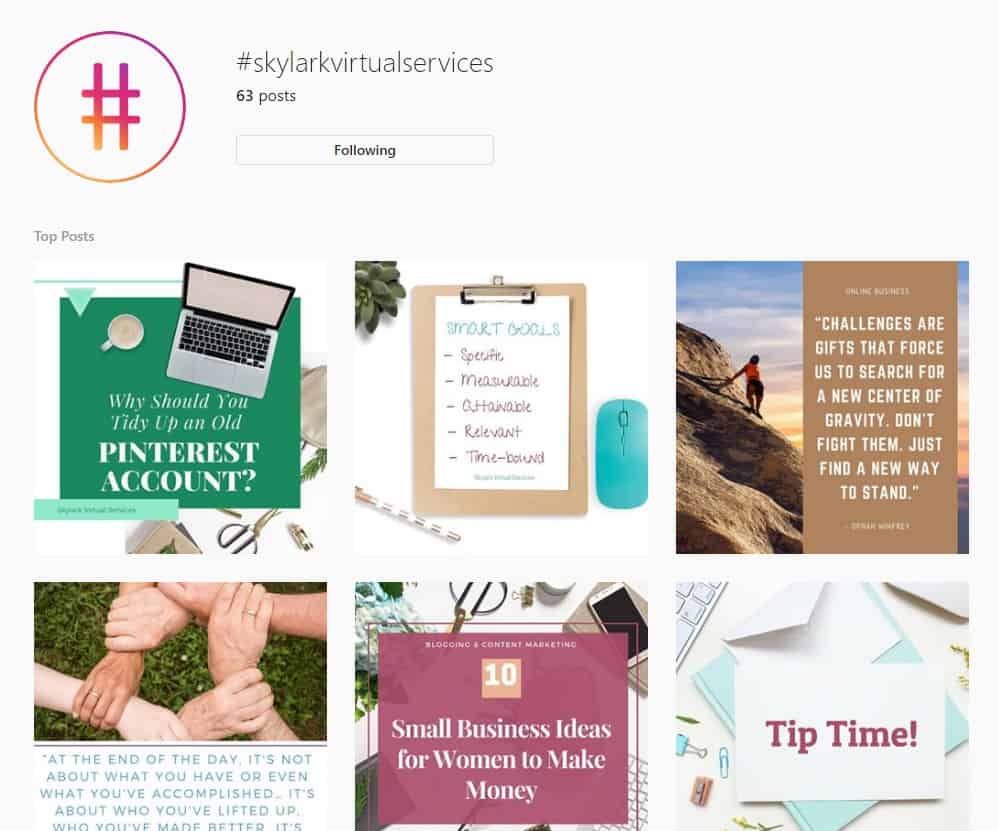
Don’t forget to start using your own branded hashtag and add this to every post. For this blog, I could use #skylarkvirtualservices in each post then if someone taps that hashtag, they see a dedicated feed of all of my content.
Creating an Instagram strategy for business
Once you have ideas about what kinds of posts you can create, the type of captions you want to use, and the hashtags you are going to add, you can start putting it all together into a proper Instagram strategy.
Goals and objectives
Any good strategy starts with goals and objectives – what do you want to achieve with your Instagram efforts? What does success look like?
You might want to build brand awareness and showcase your products or services to customers. You might want an engaged community who are loyal to your brand. Maybe you want to use it as a customer service tool. Perhaps you even want to build a big enough following to become an influencer yourself.
Decide why you are using the platform and what you want from it. Also, think about the time and budget resources you can commit (although there are lots of good free tools) and what makes Instagram different from other platforms for your business.
Analysis
There are a few bits of analysis you want to do before you start. Fun, I know but important for success.
- Audit your account – what is working, what isn’t, what do you want to keep doing, and what should change
- Check your audience is present – what hashtags do they use? When are they most active?
- Competitor analysis – what are other brands in your niche doing? Could you use these ideas for inspiration? Or could you do something completely different to stand out from the crowd?
Create an editorial calendar
Most brands post once a day or 5-6 times a week which is heading on to 300 posts a year. That means you need to plan ahead, or you could get stuck or find you need a lot of content in a short time. Having an editorial calendar can work – tools such as Trello and Asana are great for this, but you can use paper and a pen if it works for you.
Look at key events, holidays, promotions and other events then see what content you can create for these. Look at the gaps and see what content types might work in them to keep the feed varied and interesting.

Create a brand aesthetic
Not every post has to look the same, but you do want to have a brand aesthetic that ties posts together. This might mean using the same colours and fonts as in your other marketing, adding the same filter to all images, or using frames or other graphic elements. Whatever your aesthetic is, create it and stick to it.
Create and share!
The final step of the process is to create that content and share it – then interact with your audience. Give yourself a little time each day to reply to comments, like and comment on other people’s content and answer messages. Instagram likes to see us using the platform so don’t be afraid to have dedicated time each day. A good Instagram strategy needs to be followed up on so don’t forget this final important part!
How have you found Instagram? Favourite or a necessary evil? I’d love to hear your tips below!




I loved the tips!