How to Easily Make Custom Graphics for Your Blog
I sometimes use affiliate links in content. This doesn’t cost you anything but I may make a commission payment from anything you buy through these links. As an Amazon Associate I earn from qualifying purchases. All opinions remain my own.
Stock images, Canva templates, two things that make my life as a blogger much easier. Because there are times when you want a nice image or a simple Pinterest pin and you don’t want to spend hours creating it. But there’s a downside with using free, easy to access templates and resources – your stuff can end up looking like other people’s!
That’s why I learned about how to make custom graphics for my blog. In the course of this learning, I came across things like scene creators, font bundles and also graphic design bundles. These are brilliant ways to get a load of themed stuff to help customise those graphics in one place – and often with a huge discount.

This is a sponsored post by Design Bundles. All reviews and opinions expressed in this post are based on my personal view.
What should you customise?
Now don’t get me wrong, I’m not saying there’s anything wrong with stock images or Canva templates – I’ve used them many times and will use them many times more in the future. But sometimes, you want to make something a little different, a little unique. And that’s where these bundles can come in.
A few examples of the kinds of graphics you can customise include:
- Blog post images
- Pinterest images
- Instagram images
- Facebook images
- Images within posts
- Charts and other descriptive graphics
- Hero images for pages
There’s no understating the importance of graphics for your blog. According to experts, the mind retains only around one-fifth of what it reads but around four-fifths of what it sees. That means having eye-catching graphics helps readers retain what they see on your blog – that means they come back because it sticks in their head. Graphics and images are also more likely to be shared on social media. Plus there’s the whole Pinterest thing…
Why bundles are brilliant
I’ve bought a few bundles in the past, once I realised that I could use some elements with Canva and also learned the basics of Photoshop. For example, there are sites that have the latest Graphic Design Bundle that will combine a range of different themed elements together and knock a huge chunk off the price. Design Bundles is one example where the price is often up to 96% off the combined price of the elements when sold separately.
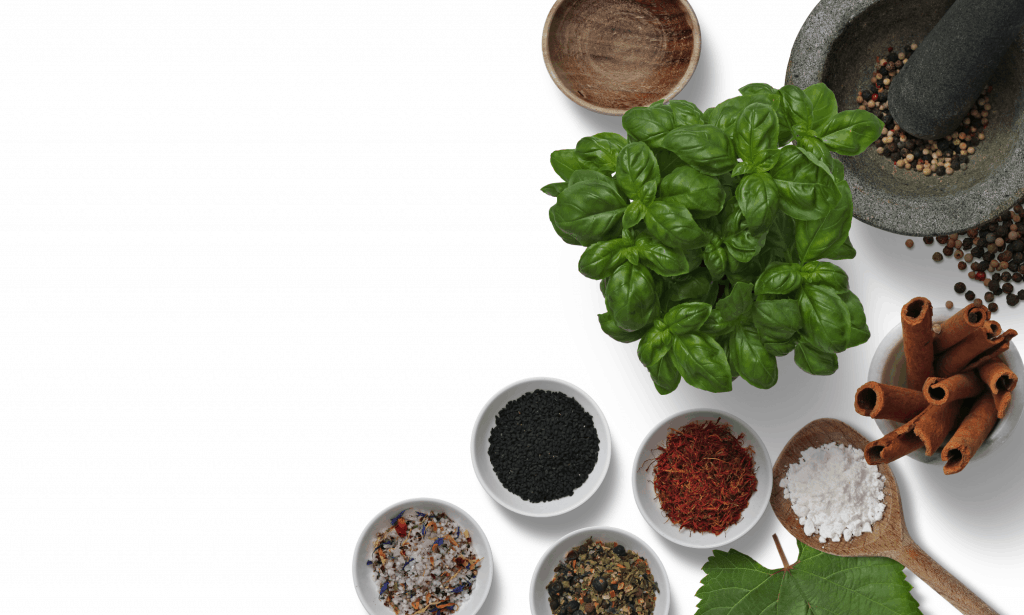
Not only that but you can shop for specific elements that you want. Photo frames, wine bottles, clothes and even furniture are available to add your own branding elements to. Then there are my new favourites, scene creators where you can move elements around and make something entirely unique. I particularly love doing this for my food blog (and you can see one of my blog post/hero images below with a gap where the blog or page title goes).
Using the bundles
But I use Canva, I hear you shout! Don’t worry, while there are things that simply don’t work with Canva, there are others that will. For example, if you have Canva for Business (the paid version) you can add fonts that you buy from bundles. You need it to be in one of three formats, Open Type Font, True Type Font or Web Open Font Format but when I’ve bought fonts, they usually come in the first two automatically.
You can also upload other file types such as SVG files as well as standard JPEG and PNG files. So while you can’t use a dedicated Photoshop file in Canva, you can use elements that are in these file formats in your designs.
Create just the right graphics
Making custom graphics for your blog can be relatively simple and have a big impact. Even using elements from design bundles in your own way can make graphics that are different to other people and help your blog stand out. And while you can definitely do the most with something like Photoshop, it is also very possible to make them with Canva too!