

How to Use the Pinterest Trends Tool for Content Marketing
I sometimes use affiliate links in content. This doesn’t cost you anything but I may make a commission payment from anything you buy through these links. As an Amazon Associate I earn from qualifying purchases. All opinions remain my own.
Keyword research on Pinterest is pretty straightforward, although there’s not the kind of data we get from a Google keyword research tool. With its coloured boxes, it is easy to see what keywords are popular in connection to what term.
But what it doesn’t tell you is WHEN those keywords are popular. Now there is a new tool in the range that does this, and it is called Pinterest Trends tool.
But what is it and how can you use it to better plan your content?

Table of Contents
What is Pinterest Trends?
Pinterest Trends is available in two places, depending on where you are located. Some parts of the world might not have it at all but I’m in the UK and we can currently access it through the dedicated Pinterest Trends website.

I have also noticed for some of my US clients, Pinterest Trends is now built into their account and is found in the dropdown alongside account analytics.
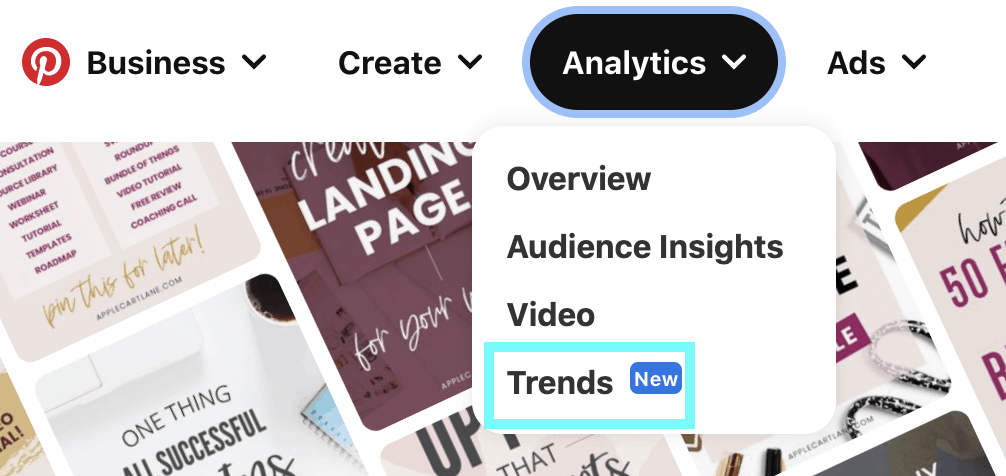
Trends is a simple way to take your keyword research to a new level by seeing when a particular search is being seen on Pinterest. Now, not every keyword in existence is on there but many popular ones are, and it is still in ‘early access’ mode so it is being added to all the time.
How do you use it?
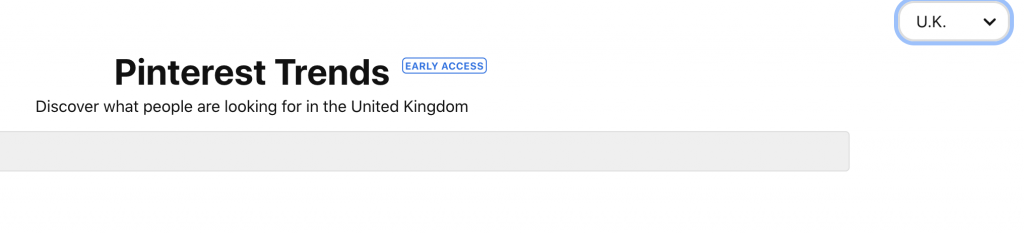
Whichever way you access the Pinterest Trends tool, what happens then is the same. It will default to the country you are in with US, UK and Canada being the options at the time of writing. You can change this so as someone in the UK, if I want to compare data for the US, I can select this menu and alter it.
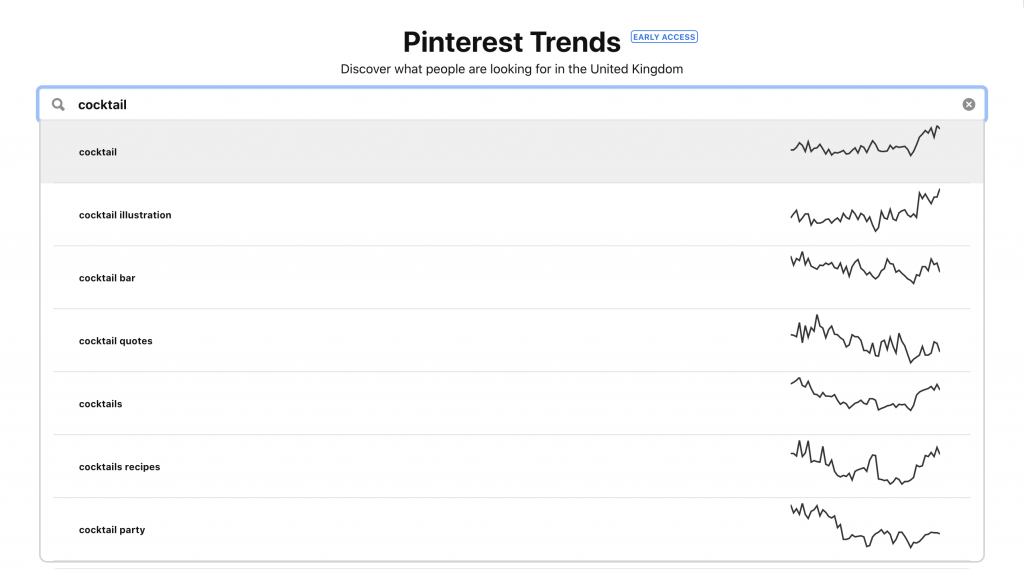
Next you add a keyword term to the search bar. I usually start quite broad and see if something comes up – as you type, suggestions will appear. You can select one of these or keep typing to see if the term you want is available.
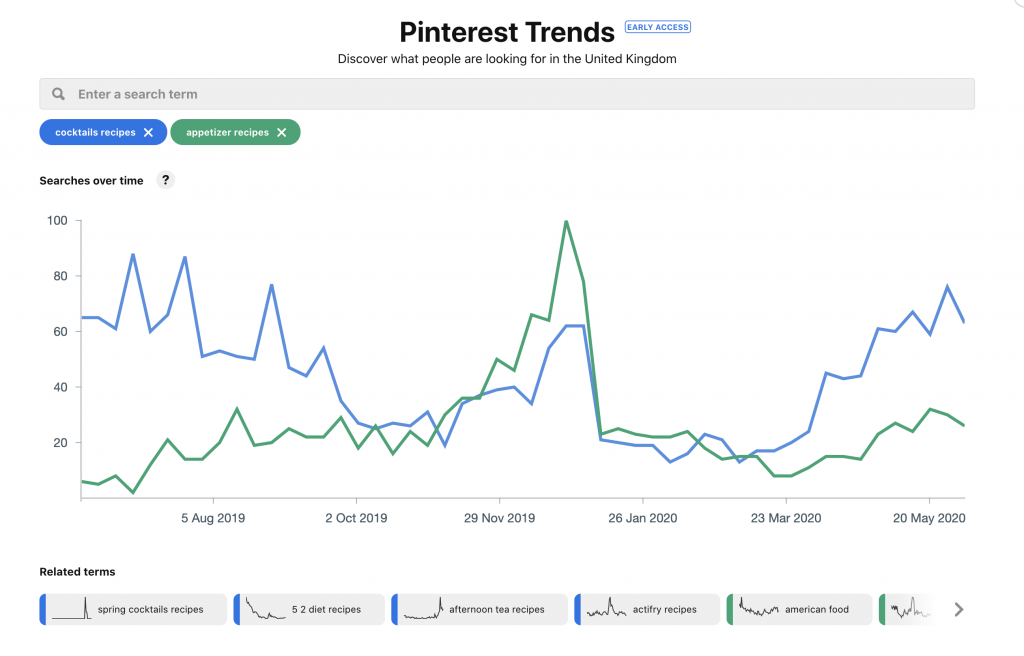
Once you select it, a graph will appear. It runs twelve months from today so the start date will always change as you view it. The graph works between 1-100 with 100 being the peak time for this search – or times. With the one below, there are peaks on the weeks ending 4th & 25th July, a smaller peak on the week ending 29th August and again on the week ending 28th May.

Below the graph you will see related terms. You can select any of these and see a comparison with the original search term. If the second term has much lower search, you may only see a tiny change to graph.
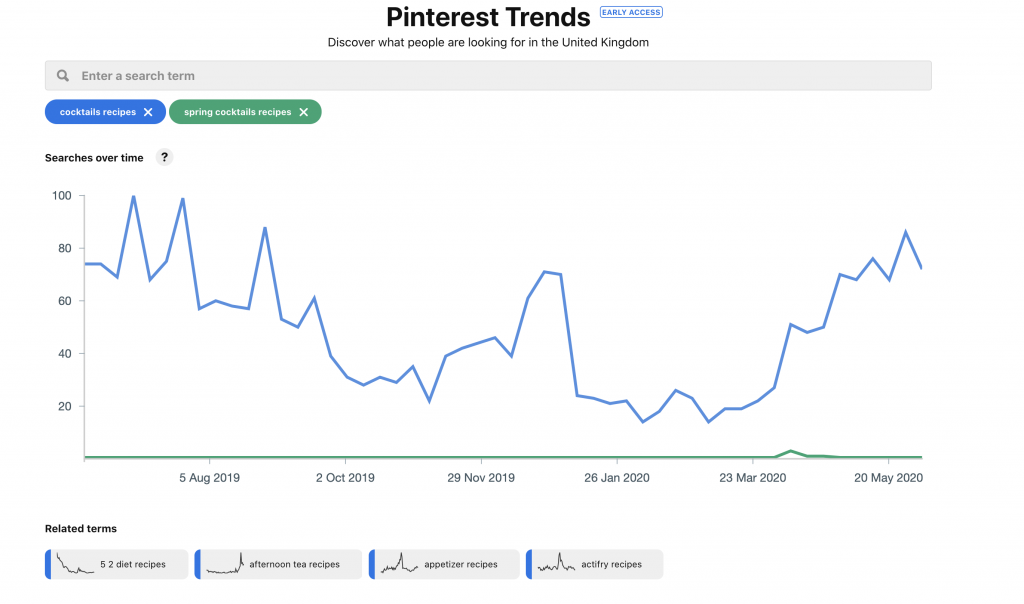
Or the term may have lots of traffic as well, in which case the two graphs may be more similar. My understanding is that in the one below, appetizer recipes in end of December has a higher peak than any of the cocktail recipes peaks so this means it gets more searches. But that’s still a little theoretical at this point!
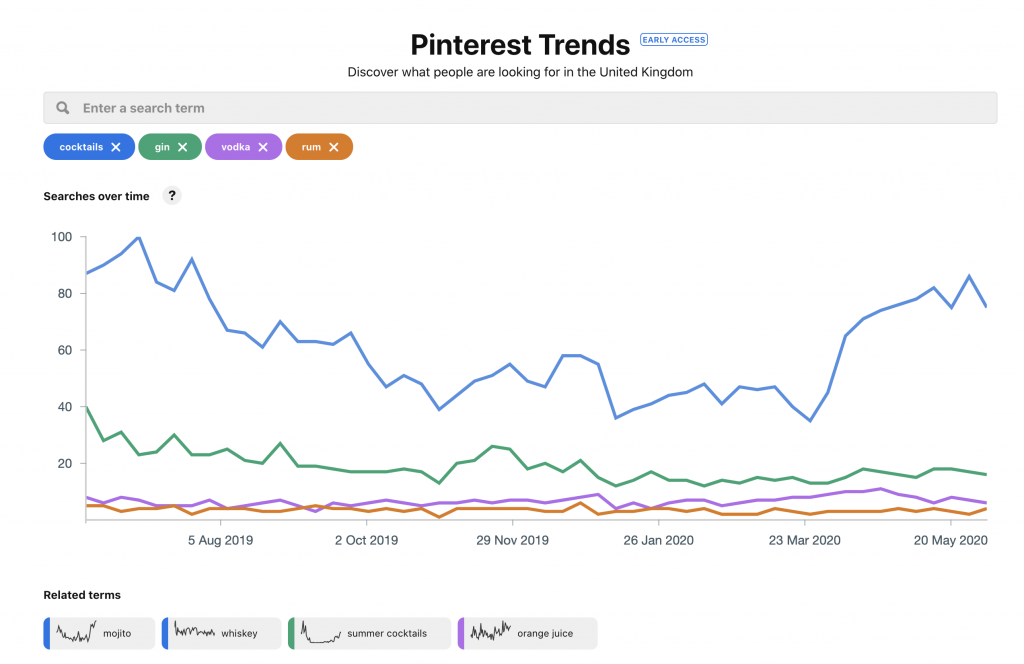
You can add up to four terms to compare at one time. Each will show a different colour and the one with the highest search will appear at the top – in the example below, that’s cocktails which is no surprise. For each term you will also get the odd related term underneath with the colour at the edge reflecting which of the terms you chose it is related to.
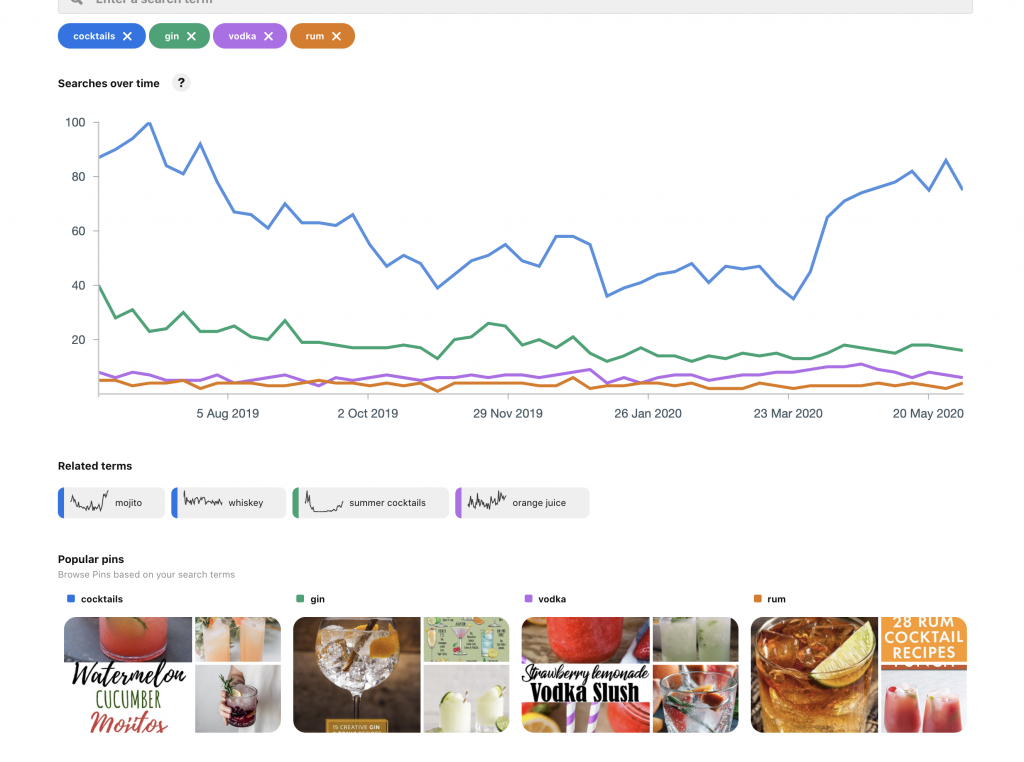
Finally, under the graph is a popular pins section. Here will be shown a few of the top pins for the search or one for each if you have four terms in the search. The pins themselves are clickable to check them out but not the search terms. Again, the colour coded header tells you which term they relate to.
How to use Pinterest Trends tool for content marketing
The Pinterest Trends tool is very interesting but at first glance, it can seem hard to see how to use it for content marketing. So, here are a few of the ideas I’ve seen and used myself to get it into action.
Get a seasonal slant on a topic by seeing when it has popularity
I definitely think the most popular reason for using the tool is to find when a topic becomes popular and plan content accordingly. For example, we always hear that Christmas starts in July – but is this true?
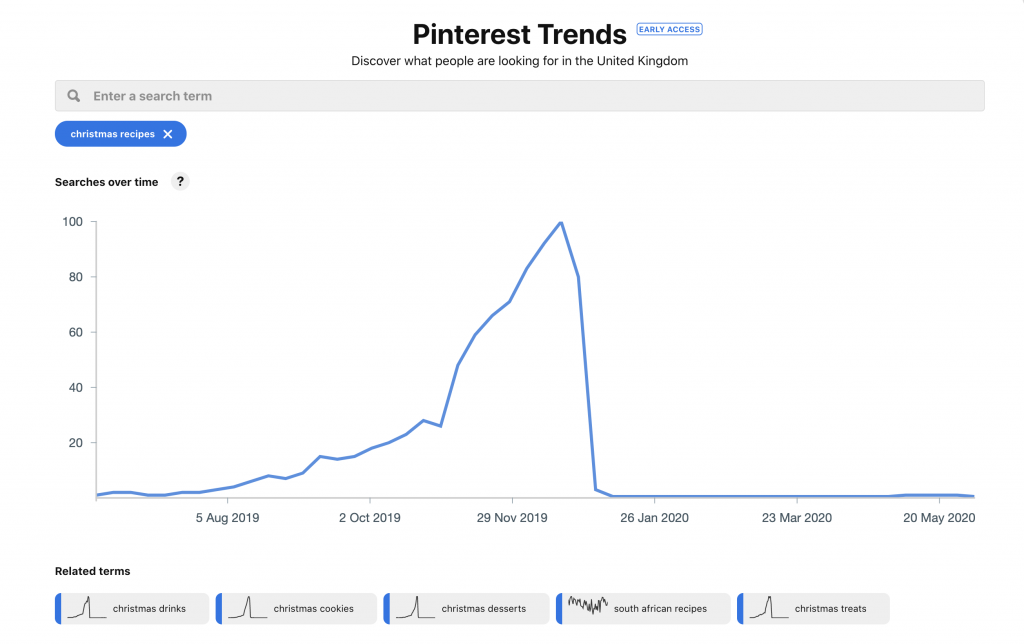
If I search ‘Christmas recipes’ for the UK, I see that there’s a slight uptake in July and August for the term, but the growth really starts in September and a massive jump up in early November. So, you can create Christmas content any time from August onwards, but you want to focus promoting on Pinterest once Halloween is done.
The trend for Halloween is similar although shorter. Looking at the US, there is an uptake in searches from the end of July with the peak in early October and a final spike for those last minute searches on the week of Halloween itself.

Check when different things are popular in different
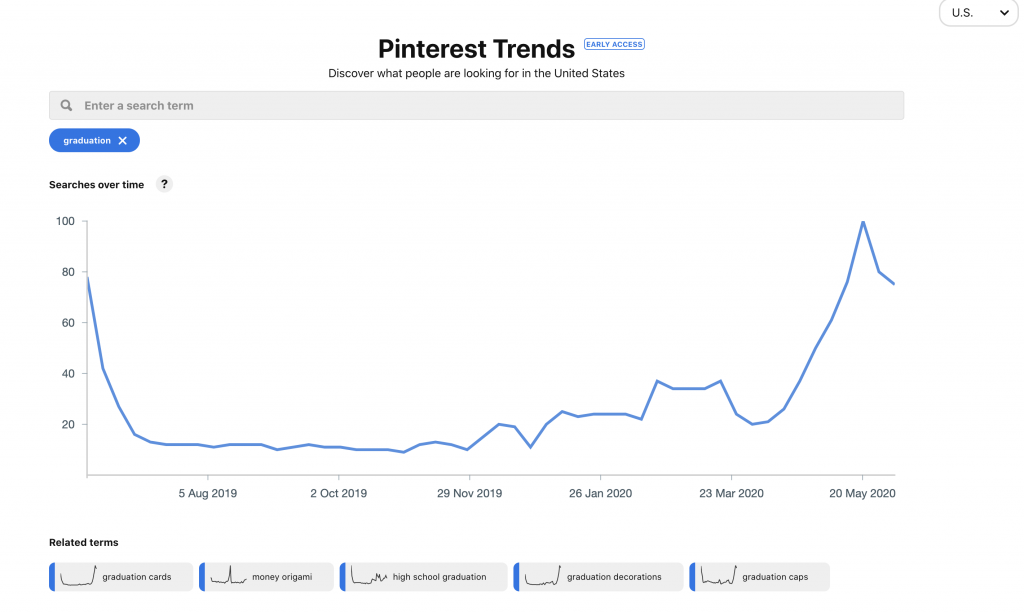
Some content is more popular at certain times than other – not just seasonal content. For example, let’s use the keyword ‘graduation’. In the US, the peak for this is week ending 21st May so if you wanted to promote content or products that were relating to graduation, you want to have this out at least 4-6 weeks before this date.
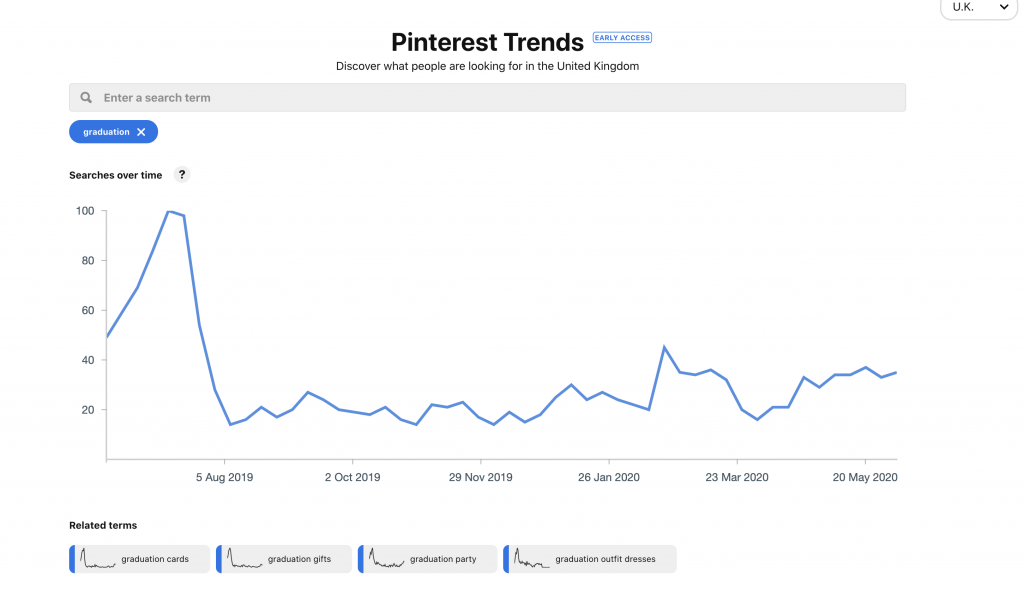
However, if you are targeting a UK audience with the same keyword, the time frame is very different. Here, the peak is the two weeks around the middle of July (that’s when school finishes for the summer here). So, this would mean content would go out later.
Get ideas for longer tail keyword based on phrases that come up
While the long tail keyword element isn’t perfect on Trends yet, it can throw up some interesting ideas. Some are a little weird, but it can be a good way to take ten minutes and explore your short tail keyword to look for a new slant on it.

Plan promoted pin campaigns
Finally, Trends can help you to plan promoted pin campaigns by judging when people are most likely to be searching for the terms you are targeting. This might not apply to every type of search, but it never hurts to take a look.
A handy extra Pinterest tool
Trends is still a tool in development, but it is already a useful one, especially for blogs or businesses that have seasonal content. You can get a clear picture of when to start creating or promoting seasonal content as well as understand how Pinterest sees those search terms. And its free!
Have you tried Pinterest Trends? What did you learn from it?
You might also like Search Engine World by Skylark Virtual Services


Thanks for sharing such a great information with us. Keep writing.