

How to Spring Clean Your Blog
I sometimes use affiliate links in content. This doesn’t cost you anything but I may make a commission payment from anything you buy through these links. As an Amazon Associate I earn from qualifying purchases. All opinions remain my own.
Spring cleaning is nothing new in our house. Mum always had a spring clean along with a summer and winter one. Not sure why autumn always missed out! But since Marie Kondo came along with her Konmari method, spring cleaning things seems to be have become the in-thing.
But what about your blog? Can you spring clean your blog or website? And why would that benefit you as a business owner?
Table of Contents
Why spring clean your blog?
The idea of spring cleaning your blog might seem a little fanciful, maybe diving into the whole trend. But there’s solid reasons to think about doing it.
For starters, Google loves content that is fresh but this doesn’t always mean new. If you make a date to update posts once or twice a year, then this will keep them fresh, for example. This can help boost SEO and improve your rankings and organic traffic.
Plus there’s the idea that the blog is your online home. We tidy up and spring clean our homes, why not our blogs too?
But what areas are the best to focus on? Let’s look at some basics of spring cleaning your blog.
Getting started – do you love your blog?
Before we dive into that checklist of things to consider adding to your spring cleaning list, let’s take a mindset moment. I know, but bear with me.
With the Konmari business, there’s this idea of keeping things that bring you joy or that you love and clearing out things that you don’t. Now while I’m not saying you should just delete your whole blog on a whim, spring cleaning time is a good one to take a moment to make sure you are on track. Do you still love your blog?
By this, I mean do you enjoy writing the content? Do you find it fascinating to read the latest articles in your niche? Is it still fun as well as a potentially profitable business?
If there’s a no in there, don’t be afraid to think about making some kind of change. It doesn’t have to be major, you can simply refine your niche, open it up a bit or even start a new niche site. But take a moment to make sure you are committed before you start the cleanup process.
Overall performance
Okay, that’s the mindset stuff out of the way, let’s tuck into some proper spring cleaning. First up, let’s take a look at overall performance.
Is your host up to the job?
One of the things most of us do when we first start is go for a budget-friendly host. It makes sense, we aren’t making money and we want to keep costs down. But as your blog grows and the number of posts increases, you might find that your hosting isn’t up to the job.
I switched my hosting two years ago when I realised I wanted to have more blogs and that my existing host was already warning me about using my allowance and ‘upgrading’ before I did this. I made the switch to Lyrical Host and have never regretted it since.
There are a few ways to assess your host but mostly if the cost has increased dramatically, you are getting warnings or constant messages about updating or their support isn’t great.
Are WordPress and your plugins up to date?
Once you have looked at hosting, take a moment to check those WordPress updates and see how your plugins are doing. Out of date plugins can be a big security risk and that’s why doing regular updates is important.
It is also worth thinking about those plugins and if you still need all of them. We all acquire plugins over time or they come with a theme and we don’t really use them. While the difference may be small, plugins all have an impact on a site and if you aren’t using them or have something else that does the job, think about removing them.
Take a quick your – do you like how it looks?
The next big job is to take a look around your website. Let’s face it, we are always busy in the backend and rarely view the site as a visitor. So one of the spring clean jobs is to look at a few areas and consider it as a user.
Check your home page
First, start with your homepage and see how it looks and if the content showing is relevant. Do you have an email sign up, a few blog posts but not too many and some areas that guide people to other places?
For example, on this blog I have three boxes near the top – two cover my main services and the third takes you straight to the blog page. You don’t have to have the same idea but something that helps people quickly find the next thing is a good idea.

Is your theme still relevant?
The other thing to consider is your theme and if it is both functional and relevant. For a long time, I had Elegant Theme’s Divi on my site and it was great but it felt more business and less blog.
Then I made the change to the current them from Restored 316 and could create a look that felt more like a blog than a business site. Yes, I am a business but most people coming to the site are looking for blog content first and then my services. I wanted to create a site that looked the part for this.
Areas to tidy up and spring clean
That’s some of the big stuff out of the way but there are some other areas to look at, some of which may end up being an ongoing job.
Site structure
Site structure is an SEO factor and it must be logical and easy to use. But you also need to think about how your blog has grown and if you need sub-categories to help organise content better.
Also, think about how your menu shows on the website. Is it just 4-5 items or is it just longer? If it is longer, could you condense it and make it so that your menu doesn’t take up more than a single line. Mine does but because of the search bar at the other end, it looks okay (but is still something I could do with working on!)
Older blog posts
Once you have been blogging for a year or two, you’ll build up older posts. Spring cleaning is a good time to do an assessment of them and make sure they are all relevant or if they need updating. For much older blogs, you may even want to delete some.
But how do you decide? There’s no hard and fast rule but here are a few ideas:
- Old posts that are irrelevant and get no traffic – delete and redirect a related post or category page
- Old posts that are still relevant and get no traffic – see if it is worth updating the content and repromoting to see if traffic starts to flow
- Old posts that are still relevant and get traffic – make sure everything is up to date, add some fresh images or stats and generally tidy up
Images
Images can be one of the big culprits for slowing down a site so making sure they are optimised is a good idea. I use Shortpixel on my sites and once you have done a bulk check, it continues to work in the background, optimising pictures as they upload.
I also make sure that I create images in Canva first before uploading to help them be the right size and keep file size down.
Is your ‘About Me’ page still accurate?
Your About Me page may not be one of your most popular or one you really think about. But a spring clean means taking a moment to check it is still accurate.
It doesn’t have to be updated monthly but you want to ensure the key information is accurate and matches up with what you have on social media. Maybe you had a baby in the last year and want to add a mention. Or you moved house and now live in a different area.
Profile shots are my least favourite things but having a new one of these every 2-3 years is a good idea. It doesn’t need to be a fancy studio shot but a good quality selfie taken in the right way will help make sure you still look like you on your website!
Is Google Analytics and Search Console working okay?
So we are on the final stretch now of the cleanup and there’s one area off-site that you want to consider. That’s data collection and stats and for most of us, that means Google Analytics and Search Console.
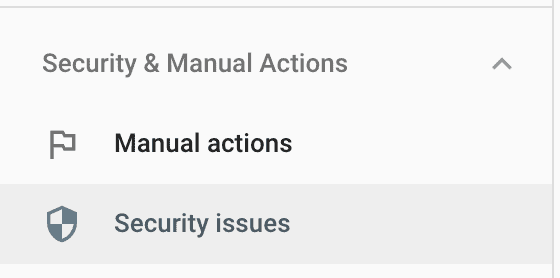
Make sure both of these are working and that there’s plenty of data. Check for any errors in Search Console and see how your Core Web Vital stats are matching up.
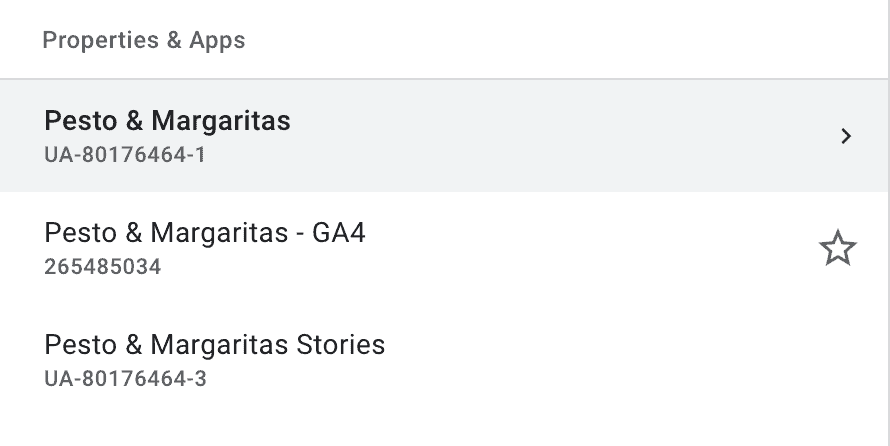
You should also add the code and a new view for Google Analytics 4. This hasn’t taken over yet but when it does, you will have no data if you haven’t installed the code. It is a simple process that GA takes you through and you just need to add a code into your website’s header. But then it starts gathering data without interfering with your original view.
Satisfying spring clean
Spring cleaning your blog can be satisfying and will often start you wanting to check other areas. Social media sites, tidying up an old Pinterest account or even looking at some out of date platforms that could be re-used, all of these are potentially on the jobs list once your blog spring clean is finished!


