

Why Using Pinterest Pin Templates is a Huge Time Saver
I sometimes use affiliate links in content. This doesn’t cost you anything but I may make a commission payment from anything you buy through these links. As an Amazon Associate I earn from qualifying purchases. All opinions remain my own.
I have a lot more time in my day than many bloggers out there. But there’s one thing for sure – even I’m always looking for those time savers. One of the biggest ones I’ve discovered since I started blogging is the idea of templates. Specifically, Pinterest pin templates!
Whether you have one blog and post new content twice a month or are a crazy person like me with multiple blogs, you need to have templates to help cut down the time it takes to manage your Pinterest marketing. Let’s take a deeper look at the world of templates.
Table of Contents
The Pinterest marketing cycle
To best understand the need for pin templates, let’s take a moment to consider the Pinterest marketing cycle as it stands and the concept of Fresh Pins.
We’ve been working with Fresh Pins for a while now and while the exact definition seems to have changed a little, the basic idea is the same. A fresh pin is an image that Pinterest hasn’t seen before. This can be for a new post or for an existing one (substitute product page, sales page, etc in here).
That means making regular new pins to feed the Pinterest algorithm. And having pins that are different enough to tick the box. The best example comes from Tailwind with their towel ladder example.
A fresh pin should have:
- A different background photo
- A different angle of something (from above, from the side, from 45 degrees, and so on)
- A meaningfully different crop to the same image to create something that is visually separate from previous pins
- Adding elements such as borders, substantial text boxes, and colour sections that make the pin look different

This means we are making more pins than ever before to keep the account moving but to ensure they are different enough to qualify as ‘fresh’.
Why using Pinterest pin templates saves time
Now if you are a graphic designer, you may not need to use templates to cut down the time it takes to make these constant fresh pins. Although I know a few and even they use templates of their own creation to speed up the process!
Imagine starting a pin design from scratch. You have no idea what it should look like, what fonts to us, and what elements to add to make it different from the previous version. Or how to use different images to accent the point.
But if you had a set of 10 templates in front of you? Instantly, a massive chunk of that job is done. There are colours and fonts that you can change if you want or leave alone. There’s a basic layout where you can drop the photo of your choice in the gap. There are design elements that highlight your key pin features.
Rather than trying to create from scratch, a template gives you a quick win. You can change as much as you want but there’s no need to come up with it from nothing. And if you are like me, you end up learning a lot about design by using them!
Best free pin templates
Now because I know spending money isn’t always easy for bloggers, let’s start by considering some free pin templates available.
Canva templates
Whether you have Canva Free or Canva Pro, you get access to templates and there are hundreds of them. Select the Pinterest pin design size then templates will automatically show (or click on the option in the top left corner).

Canva has templates organised by all sorts of options including food pins, video pins, wedding pins, and birthday pins. Once you find one you want to use, you can change anything on it.
Tailwind templates
In the last year or so, Tailwind has also been releasing regular free pin templates as part of their Pinterest Pin Toolkit. You sign up for it and they send you to a page to download them. These are Canva templates so you can easily use them in Canva and again change anything you want. They also come with design tips on the template that you can just delete once you’ve read.

With the release of Tailwind Create, I’m not sure if they will continue to create new ones but the existing ones are worth grabbing.
The downside of free templates
I do love a good freebie but it is worth taking a second to discuss why I pay for templates and don’t just stick to the free ones. This applies mostly to the Canva templates but anything readily available for free can suffer from this.
Same pin syndrome! Now, this isn’t so much a worry for algorithms or anything like that but when you get familiar with Canva templates, you’ll start to spot them on Pinterest. Maybe for very different topics than yours. So if you do use free templates, make substantial changes to them to make them ‘yours’ so they don’t blend in with all the other versions of the same template.
Best paid pin template subscriptions
In terms of paid subscriptions, I have two that I pay each month and these are considered essential expenses to me. They are very different and offer me different benefits but I wouldn’t be without either.
Carly Campbell Pinterest Pin Templates
Carly is best known as the blogger behind Blogging Like You Mean It and Mommy on Purpose but she also has her own template subscription, as well as a Pinterest course, called Pinteresting Strategies.
Carly’s templates are all for Pinterest, and work in Canva and you get the standard size and tall each month. They are suitable for any niche and very easy to adapt to your brand style. They are simpler than Kara’s that I’ll mention below but that works well for me.

And as a bonus, you also get to join her exclusive member Facebook group where she regularly posts and does live videos on what she’s seeing on Pinterest. The strategy insight is worth the monthly cost alone!
Simplifying DIY Design Pin Templates
The templates from Kara at Simplifying DIY Design are what I’d call ‘proper’ graphic designer templates. She uses some amazing flourishes, elements, and styles that most non-designers would never consider. This makes them a little more elaborate than Carly’s but equally ideal.

Not only that but the subscription isn’t just for pin templates. Each month you get square images, mockups, printable templates, and assorted other templates. You get a seasonal colour palette to help with those off-brand pins and they are all accessible in Canva.
Great places to find more templates
As well as these two monthly subscriptions, I also have a few places I go to get more templates. Each of these places offers Pin templates and some offer other styles of templates to help with other blogger jobs.
Basil & Bark
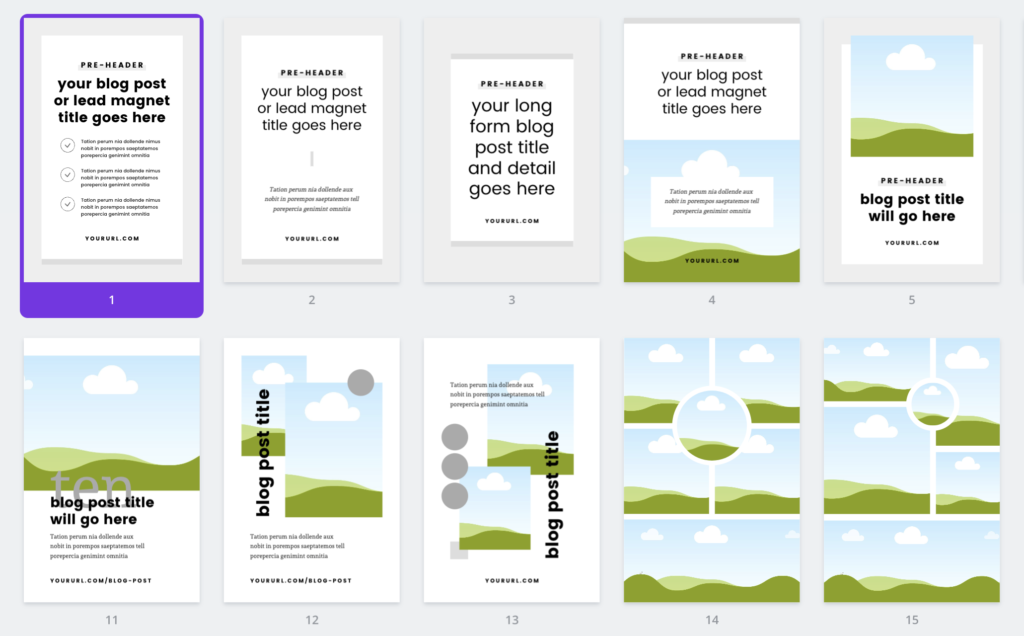
If I’m looking to make an opt-in freebie, then the templates from Basil & Bark are the first place I go. Alysha has a very crisp and clean style that is perfect for most niches and her Pin templates feature a lot of white space. She offers templates in sets around a purpose and also a great value lifetime membership.
Biz Template Babe
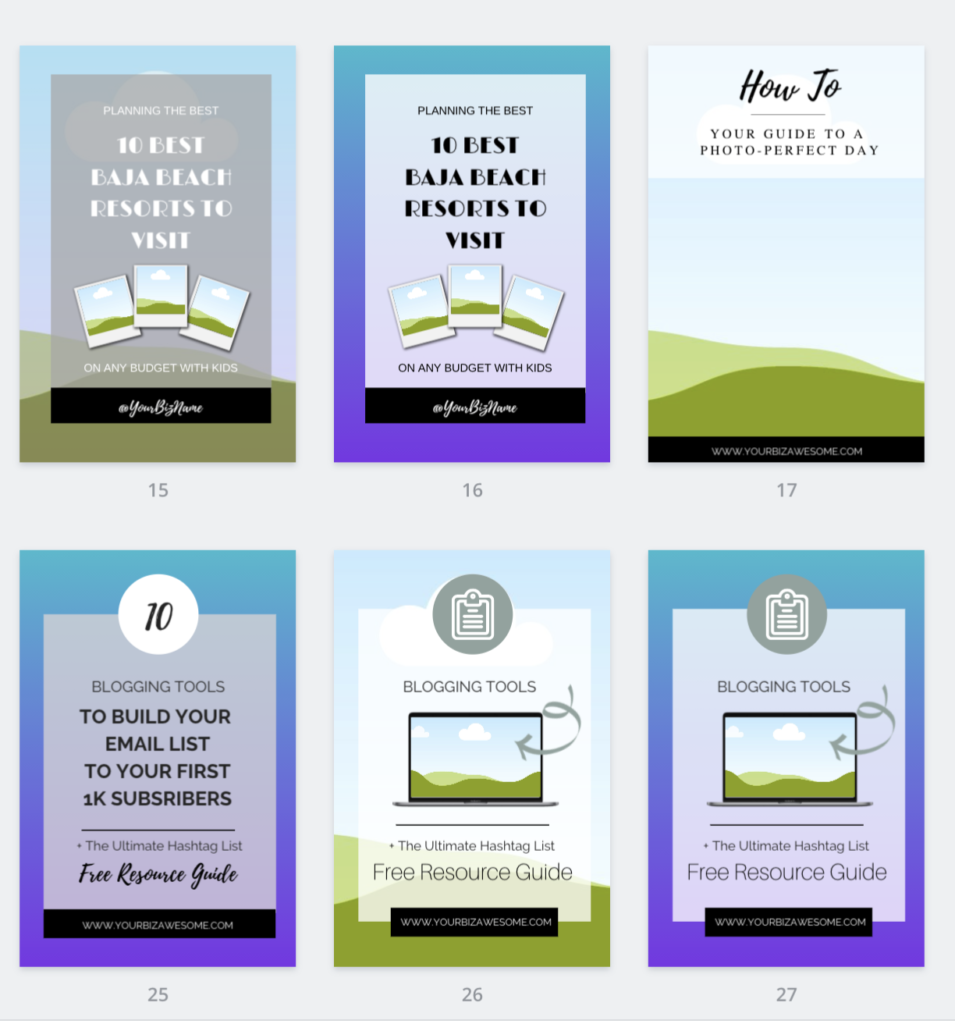
Sarah at Biz Template Babe is another who offers a wide range of templates for everything from Facebook Page headers to recipe cards. She has a distinctive look that is simple but uses clever features such as gradient overlays to make the pins look professional and interesting. She offers template sets and also a regular membership.
Kate Danielle Creative
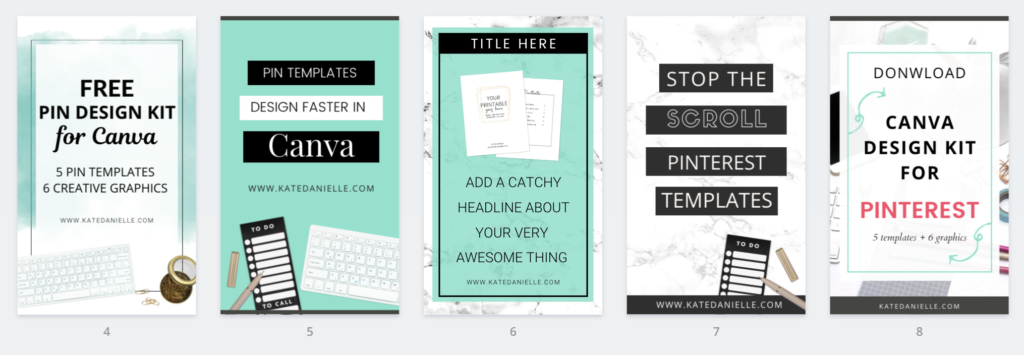
Kate has a range of different templates on her site and also a free mini kit with Pin templates that is worth picking up to give you some free templates to start with. Kate also has some gorgeous eBook templates that I’ve used before for freebies and in my products.
Applecart Lane
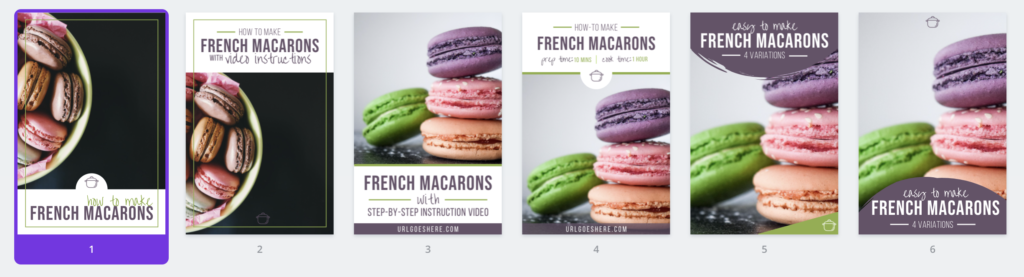
Kristin at Applecart Lane has Pin templates available in sets to get a group of themed pins created quickly. She also has a 5-Part Pin Design Formula that helps you get inside the designer’s mind to do more with your templates and even try the occasional design from scratch.

Simple Pin Media
Simple Pin Media may be best known for offering Pinterest management services and their Simple Pin Collective but they also offer a bumper template pack of 30 designs usable in Canva. Their templates are based on designs they have seen success with for their own clients so have that proven element to them.
Stocking up on templates
I admit I’m a bit of a template hoarder, I have to strongly resist any time anyone mentions new templates! But that’s because the amount of time I save by using them each month is substantial. Not only that but I feel the pins I create are far better than they would be if I tried to design them freehand.
Think of it this way – how long does it take to make a pin from scratch? Times by how many fresh pins you make a month? Then there’s no way a template isn’t going to save you time!


