

5 Plugins to Easily Add Custom Fonts to WordPress
I sometimes use affiliate links in content. This doesn’t cost you anything but I may make a commission payment from anything you buy through these links. As an Amazon Associate I earn from qualifying purchases. All opinions remain my own.
Fonts are a big part of branding – we use them in graphics, in logos and even in things like business cards. But we don’t always use them in our blog. The reason for that is simple – adding custom fonts to a WordPress site isn’t the easiest thing to do. You either need to know how to code or you can use a plugin. For me, the plugin option wins every time because I’m not learning to code right now!
But what are the best plugins to easily add those custom fonts? And where can we even find them in the first place, amid all those concerns about licensing and what we can do with them?

Table of Contents
Why use custom fonts?
Before we get into the technical stuff, a moment to consider why we might want to use custom fonts in the first place. WordPress does come with a good array of fonts and most themes will also come with a lot more.
But there are times when you want something different or something specific. You may have had a font created just for your brand or simply love a particular font that isn’t provided as standard. If you use this font in your branding, it helps tie together the website with other elements such as graphics on social media.

Where to find the best fonts
Finding fonts is easy – finding fonts you can use for commercial purposes is a little more complex. Font licensing rules is a pitfall that many people have fallen into and one you need to be careful with. If you are ever in doubt about what you want to use a font for, contact the person selling it and ask if you can under which license.
Google Fonts
Google Fonts is a good place to find high-quality fonts that are available for commercial purposes and are usually free – they come under the category of ‘open source’ fonts. You can select by the type of font such as serif or sans serif and get a variety of styles for each font in one place.

Adobe Fonts
Adobe Fonts was previously known as Typekit and is now part of the Adobe family. They have thousands of commercial fonts that are cleared for the kind of use you would need to include them on your website and in branding. They are included with an Adobe subscription and include packs of fonts that work together.
Creative Market
Creative Market is an example of a graphic design marketplace where you can buy fonts. They also give some away free each week but be careful about their licensing. There are thousands of great products but what you can do with them can be a little confusing – so this is where reaching out to a seller to clarify is definitely important.
Fontsy
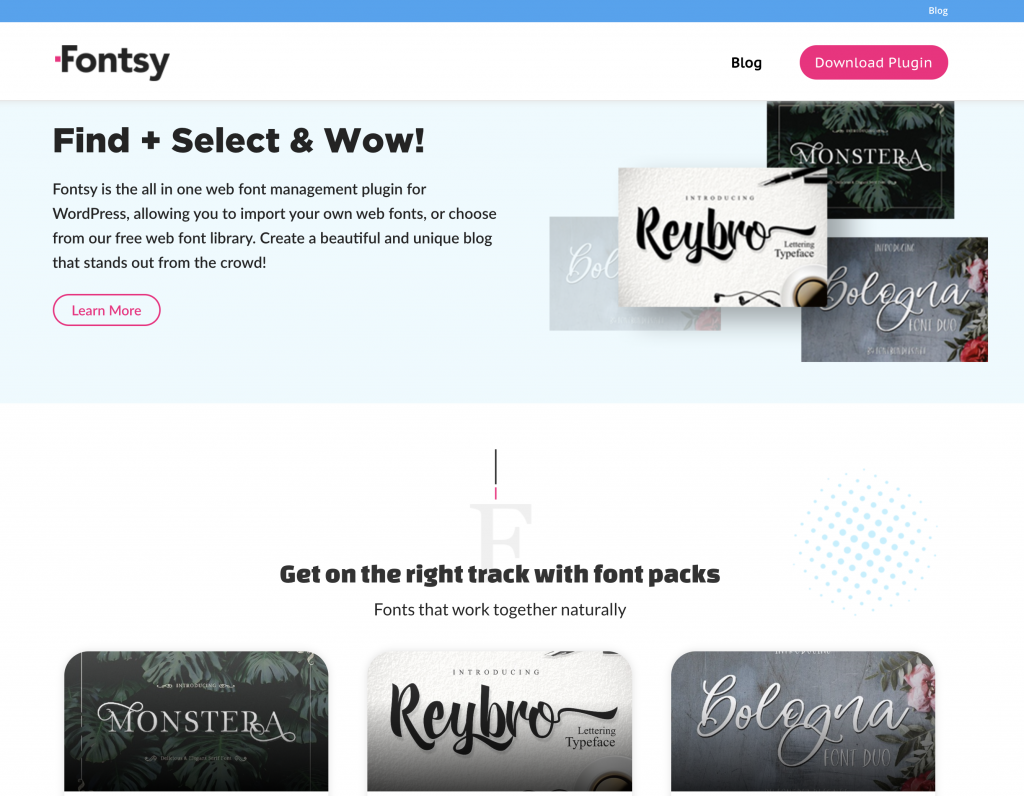
Fontsy.com is a combination of a place to find fonts and a way to get custom fonts onto your website – more about the plugin side of things in a moment. You can browse an extensive library of fonts available for commercial use and also grab sets that pair well together if you need a little inspiration. There are both free and premium fonts available.
5 Plugins to easily add custom fonts
So, once you have found the font of your dreams, the next step is to get it onto your WordPress site. As mentioned, if you are into CSS and coding, there are ways to do it like that. But for the rest of us, a plugin is the way to go. Here are five that easily lets you add fonts from around the internet.
Use Any Font
Use Any Font is a well-known plugin to add custom fonts and also allows you to convert it to a web-friendly format if it isn’t already. The plugin also stores all of the information needed on their own server, so this ensures it is lightweight and doesn’t use a load of resources on your site – remember site speed is super important.
Fontsy
I mentioned Fontsy earlier and here’s the other part of it – where it acts as an alternative to Use Any Font WordPress Plugin as well as a place to find fonts. Fontsy lets you browse or upload the font you want to add, select which appears and where on your site (such as in specific headings like your H1 or H2) and then applies the font as you have instructed.
Easy Google Fonts
Google Fonts is one of the places you can find free fonts to use so it is no surprise there are some plugins designed to work specifically with it. Easy Google Fonts is one of them and also has a customizer feature where you can edit those styling elements such as headings and see what they will look like in action.
WP Google Fonts
This is the other popular custom font plugin designed to work with Google Fonts and allows you to customise the look of the fonts on the blog including in widget areas as well as the normal text areas. It does recommend only using three fonts to avoid the plugin slowing down the website.
Seed Fonts
Seed Fonts works with a number of font websites including Google Fonts and also foreign language fonts such as Thai-English fonts. This makes it ideal if you have a multi-lingual website and want to use font variations that are suitable for each. It has customisation settings for blog posts and pages.
How to manually add fonts to WordPress
Just in case you are braver than me and want to manually add fonts to the website without the use of a plugin, here’s a brief overview of what to do. I would only advise doing this if you are confident in what you are doing.
To do this, you need the embed option for the font as opposed to downloading it as a zip or other type of file. When you have this, you can go into the header.php file of your website and add the code before the <body> tag.
Another way is to use the Insert Headers and Footers plugin. If you use this, you need to paste the embed code into the ‘scripts in header’ section and save. This only works well with Google Fonts so if you want to use ones from elsewhere, a plugin is a better option.
Once you have done either of these, you will need to use the font in the theme’s stylesheet to be able to set it in the place you want it – body text, header text etc. You can read more on how to do this here.
Getting custom fonts in the right places
For most of us that aren’t web designers, plugins are the simplest and most logical way to get the fonts we want into the places we need them. Opt for one that is easy to use, has options to customise things like headings and to see how this looks and also pairs easily with websites providing commercially licensed fonts.
Then you are ready to truly custom your website with your new fonts and build another element in your brand recognition!


